Log in
Linked Applications
Loading…
Confluence
Spaces
Hit enter to search
Help
Online Help
Keyboard Shortcuts
Feed Builder
What’s new
About Confluence
Log in
Translations Knowledge Base
Edit space details
Pages
Blog
Page tree
Browse pages
Configure
Space tools
Pages
…
Cochrane resources for translation and dissemination in different languages
Phrase (formerly Memsource)
For translators and editors
Jira links
A
t
tachments (4)
Page History
Page Information
Resolved comments
View in Hierarchy
View Source
Export to PDF
Export to Word
Work on a translation job
Created by
Juliane Ried
, last updated by
Judith Deppe
on
Apr 27, 2026
1 minute read
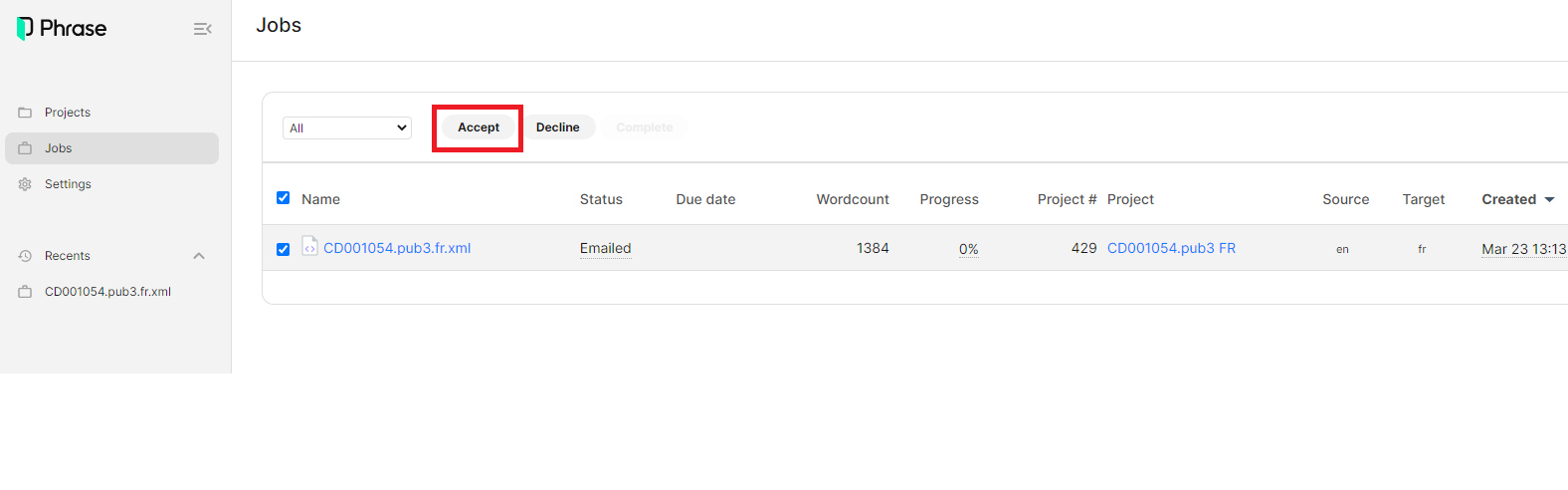
1. To work on a translation job, you select the file that you would like to work on and then click the "Accept" button at the top:
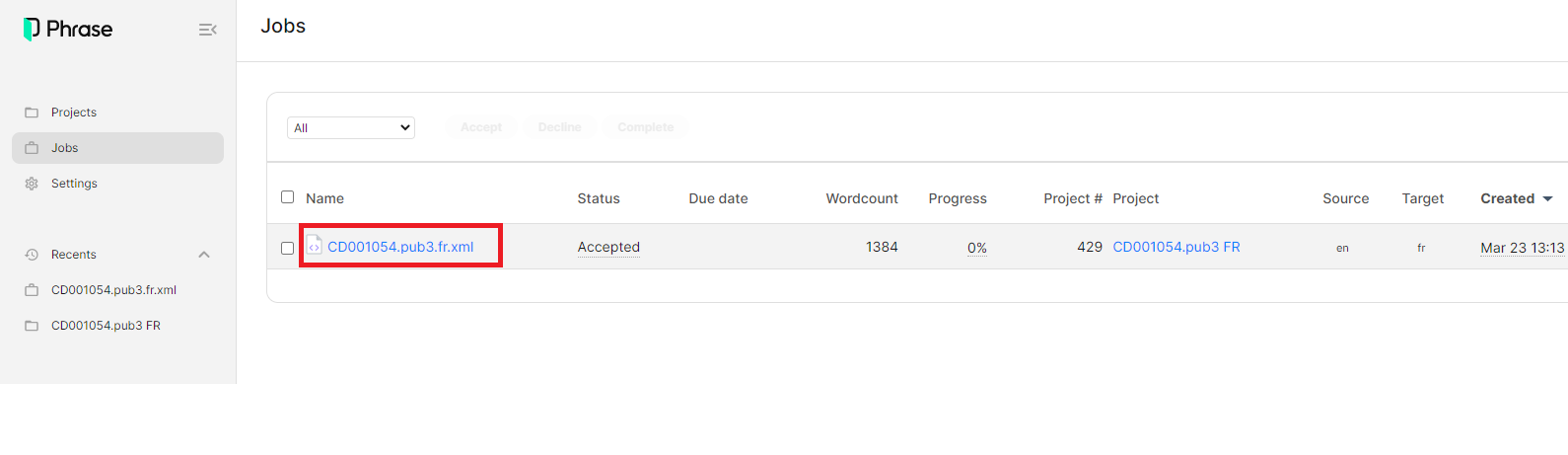
2. Next, you click on the name of the file to open the web editor and start translating:
translators
editors
jobs
workflow
translating
phrase
Overview
Content Tools
{"serverDuration": 90, "requestCorrelationId": "cc0108804e4677ef"}