Word count
In RevMan, you can check the word count of your review at any time. From July 2026, the word limit for reviews and updates in the focused review format will be 12,000 words, and for protocols it will be 6,000 words.
The word count includes the main text, the abstract, and the Plain Language Summary (PLS), but does not include Summary of Findings tables, other tables, analyses, references or supplementary materials. Abstracts should be under 700 words and must not exceed 1,000 words, while PLS should be over 400 words and must not exceed 850 words. Full guidance on this is available in the Cochrane Handbook.
When a review or update exceeds 10,000 words, or a protocol exceeds 5,000 words, RevMan will display a validation warning to alert you that you are approaching the limit.
From July 2026, you will not be able to submit your protocol if it exceeds 6,000 words, or submit your review or update if it exceeds 12,000 words.
All post-submission revisions to the main text, abstract or PLS must remain within the word limit. We recommend not submitting at the maximum limit to allow room for changes later.
Check the review word count
There are two ways to check your word count in RevMan: via the Context pane or the Submission preview.
Context pane
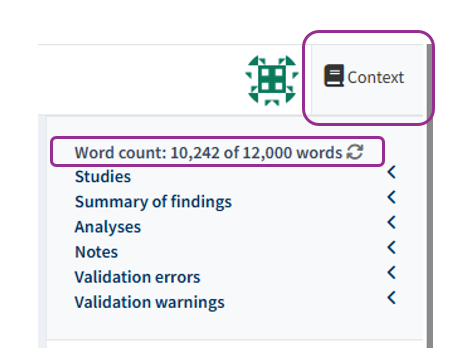
In any section of your review, you can click on the Context pane on the right upper corner. The word count appears at the top, including the limit for your protocol or review.
If you make changes to the text of your review while the Context pane is open, click the refresh symbol next to the word count to see the impact these changes have had on your word count.
When the word count is over the limit, the count in the Context pane will be red.
Submission preview
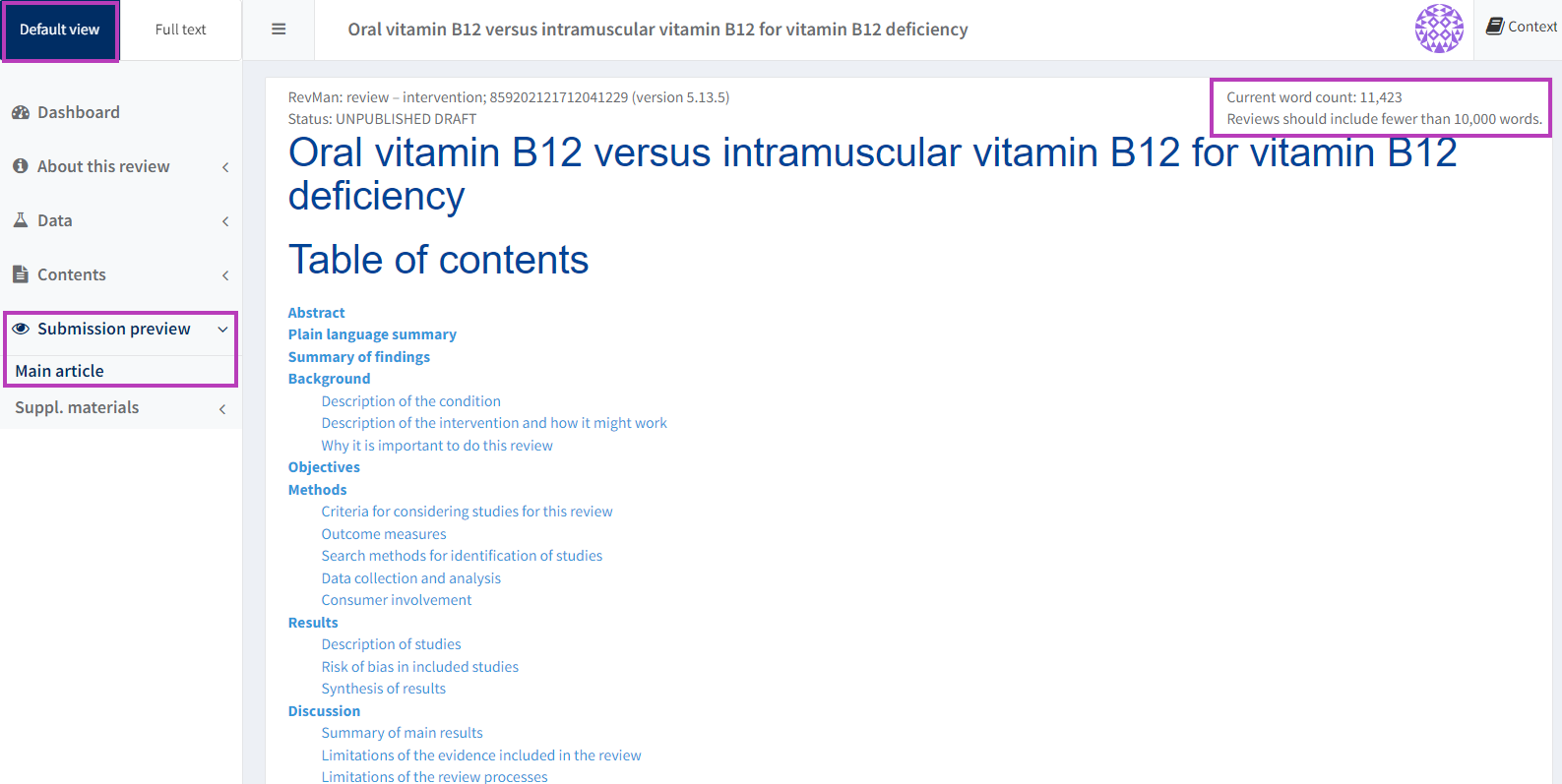
From the left-hand navigation menu of your review in RevMan, go to 'Submission preview' > 'Main article'.
The word count is displayed in the top right-hand corner of the previewed article
Preview article
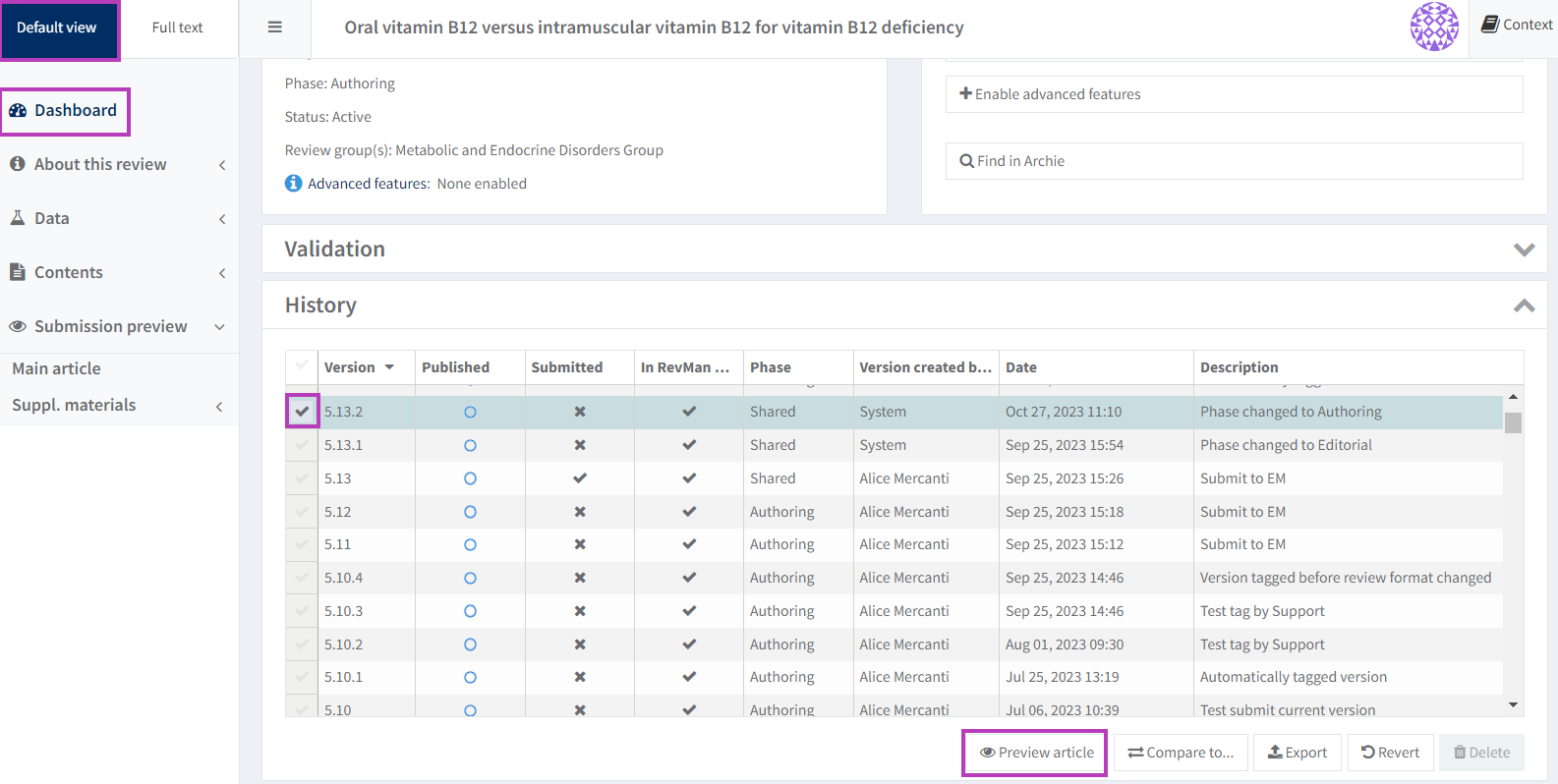
In the Dashboard of your review in RevMan, go to the 'History' panel.
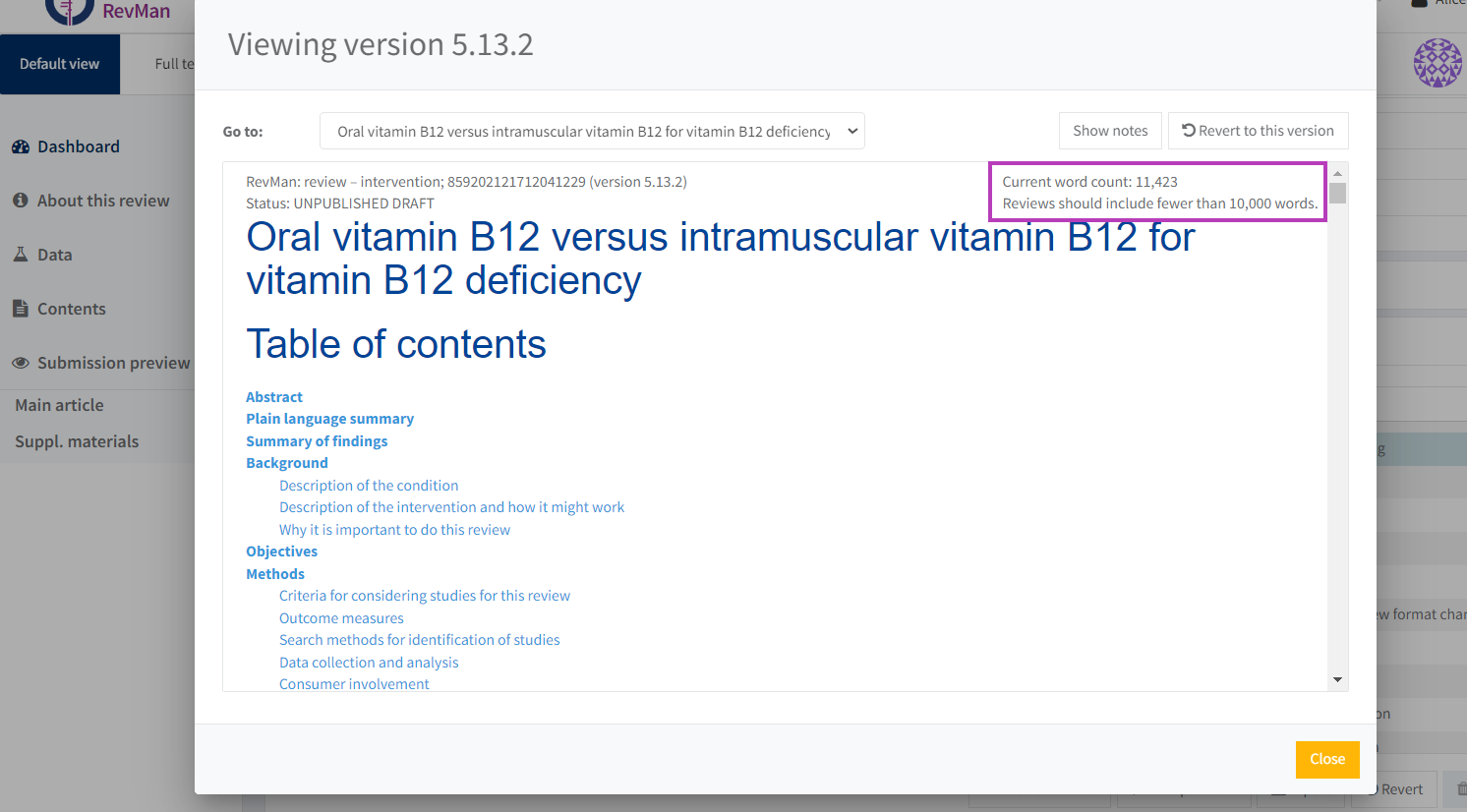
Select the version of the review that you want to preview, then select 'Preview article', or 'View' if the review is still in long format.
The word count is displayed in the top right-hand corner of the previewed article.
Word count and track changes
When tracking changes in the review, the word count will include all new text but exclude any text marked for deletion. The word count will update to the correct number of words once the suggested changes have been accepted or rejected.
See Track changes for more information.